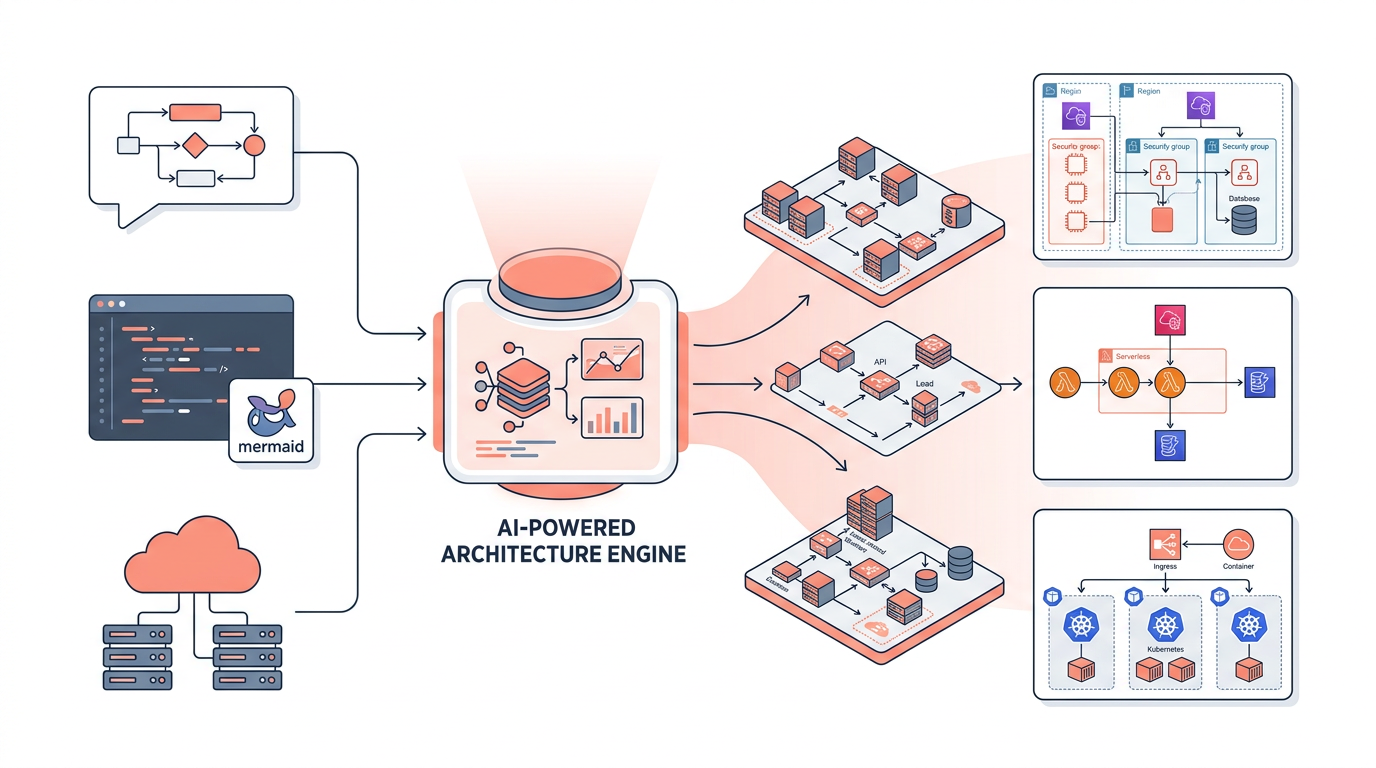
An architecture diagram generator is a tool that automatically produces visual representations of cloud or software infrastructure from code, configuration files, or natural-language prompts. In 2026, these tools have moved well beyond drag-and-drop editors — the best ones let you describe a system in plain English and receive a production-ready diagram with accurate AWS service icons, connection labels, and supporting documentation in seconds. This article explains how architecture diagram generators work, compares the leading options, and helps you choose the right approach for your team.
Whether you are a solutions architect documenting a new VPC design, a DevOps engineer reverse-engineering an existing deployment, or a student learning cloud patterns, an architecture diagram generator removes the tedious manual work so you can focus on the design decisions that actually matter.
What Is an Architecture Diagram Generator?
An architecture diagram generator converts a description of a system — written in natural language, YAML, Terraform HCL, or a domain-specific language — into a structured visual diagram. The output typically follows established notation standards such as AWS reference architecture conventions, the C4 model, or informal box-and-arrow layouts.
Modern generators fall into three broad categories:
- Prompt-to-diagram tools (e.g., draft1.ai) — you describe the architecture in plain English and the tool produces the diagram and optional documentation automatically.
- Code-to-diagram tools (e.g., Diagrams as Code with Python's
diagramslibrary, Mermaid, or Structurizr) — you write declarative code and the tool renders it. - Infrastructure-to-diagram tools (e.g., Cloudcraft, Lucidscale, or AWS Application Composer) — the tool reads live cloud accounts or IaC files and reverse-engineers the current state into a diagram.
Each category solves a different problem, and many teams use more than one.
How Prompt-Based Architecture Diagram Generators Work
Prompt-based generators use a large language model to parse the intent of a natural-language description, map it to known cloud services and topology patterns, and then render a diagram using a structured layout engine. The LLM handles ambiguity ("put the database in a private subnet" is understood without specifying exact CIDR ranges), while the rendering layer enforces visual consistency — correct AWS service icons, labeled arrows for protocols like HTTPS on port 443 or gRPC on port 50051, and logical groupings such as VPCs, availability zones, and security groups.
draft1.ai follows this model. You type a prompt such as "Three-tier web application on AWS with an ALB, two EC2 instances in an Auto Scaling group across two AZs, an RDS Multi-AZ PostgreSQL instance, and an ElastiCache Redis cluster in a private subnet" and receive a diagram plus a written architecture description within seconds. The tool understands AWS-specific constraints — for example, that an Application Load Balancer requires at least two subnets in different Availability Zones — and reflects those constraints in the output automatically.
Code-Based vs. Prompt-Based: A Comparison
Both approaches have legitimate use cases. The table below summarizes the key trade-offs.
| Dimension | Prompt-Based (e.g., draft1.ai) | Code-Based (e.g., Mermaid / Diagrams) | Infrastructure-Scan (e.g., Cloudcraft) |
|---|---|---|---|
| Input method | Natural language | Python / DSL / Markdown | Live AWS account or Terraform |
| Learning curve | Very low | Medium | Low–Medium |
| Version control | Prompt text is diffable | Native (code files) | Snapshot exports |
| Accuracy to live infra | Depends on prompt | Depends on code | High (reads real state) |
| Speed to first diagram | Seconds | Minutes to hours | Minutes (after auth) |
| Customization depth | Moderate | High | Moderate |
| Best for | New designs, docs, proposals | Repeatable, CI-embedded diagrams | Auditing existing deployments |
Key AWS Services Typically Represented
A good architecture diagram generator must handle the full breadth of AWS services accurately. The most commonly diagrammed components include:
- Networking: VPC, subnets (public/private), Internet Gateway, NAT Gateway, Route 53, CloudFront, AWS Global Accelerator
- Compute: EC2, Auto Scaling Groups, ECS (Fargate and EC2 launch types), EKS, Lambda
- Load balancing: Application Load Balancer (ALB) on port 80/443, Network Load Balancer (NLB) on TCP/UDP, Gateway Load Balancer (GWLB)
- Storage: S3, EFS, EBS, FSx
- Databases: RDS (Aurora, PostgreSQL, MySQL), DynamoDB, ElastiCache (Redis/Valkey, Memcached), OpenSearch Service
- Messaging: SQS, SNS, EventBridge, Kinesis Data Streams, MSK (Managed Kafka)
- Security: IAM roles, Security Groups, AWS WAF, Shield, Secrets Manager, KMS
- Observability: CloudWatch, X-Ray, AWS Distro for OpenTelemetry
When a generator omits or misrepresents any of these — for example, placing an RDS instance in a public subnet by default, or drawing a Lambda function without an execution role — the resulting diagram can mislead engineers and create security review problems.
Diagramming Standards and Notation
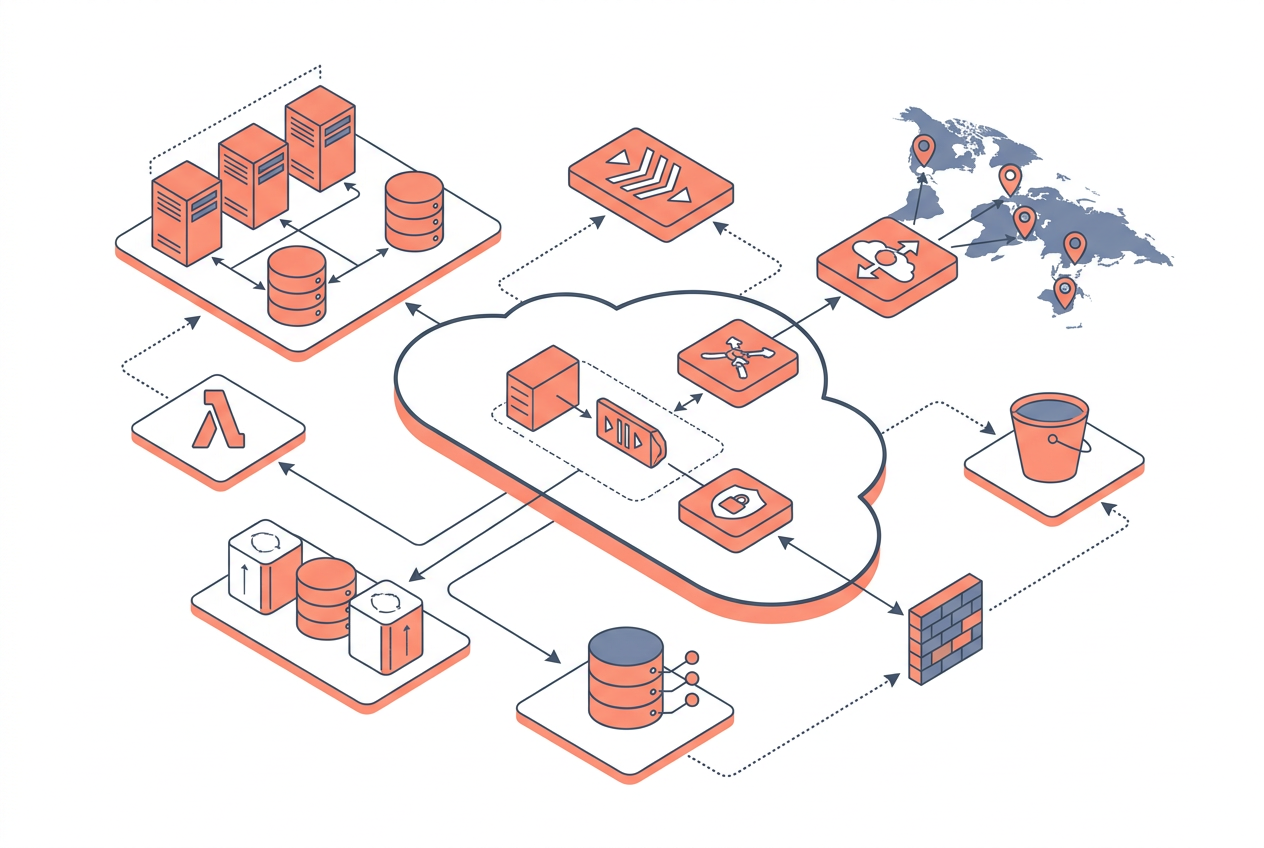
The notation you choose affects how broadly your diagrams can be understood. The most common standards in cloud architecture work are:
- AWS reference architecture style — uses official AWS service icons, color-coded groupings (orange for compute, purple for databases, etc.), and dashed borders for VPCs and AZs. This is the de facto standard for AWS-focused teams.
- C4 model — four levels of abstraction (Context, Container, Component, Code). Useful for communicating with non-cloud stakeholders because it hides infrastructure detail at higher levels.
- ArchiMate — formal enterprise architecture notation, common in regulated industries and large enterprises.
- Informal box-and-arrow — fastest to produce, lowest barrier to understanding, but lacks precision.
Most architecture diagram generators default to AWS reference architecture style for cloud work. Some support C4 export or allow you to switch notation via a setting.
Integrating Architecture Diagram Generators into Your Workflow
Architecture diagrams are most valuable when they stay synchronized with the actual system. Here are four integration patterns that work well in 2026:
-
Design-first with prompt tools: Use a prompt-based generator at the start of a project to produce a candidate architecture. Export the diagram to Confluence, Notion, or a Git-tracked docs folder. Treat the prompt text as the source of truth and re-run it when the design changes.
-
Diagrams-as-code in CI/CD: Commit Mermaid or
diagrams-library Python files alongside your Terraform. A GitHub Actions workflow renders the diagram on every pull request and posts it as a PR comment. This keeps diagrams in sync with IaC changes. -
Reverse-engineering with infrastructure scanners: After a migration or a period of organic growth, run a scanner against your AWS account to produce a current-state diagram. Use this as the baseline before refactoring.
-
Documentation generation: Tools like draft1.ai can produce both the diagram and a written architecture description in one step. This is useful for RFC documents, security reviews, and onboarding new engineers.
Common Pitfalls to Avoid
Even the best architecture diagram generator can produce misleading output if used carelessly. Watch for these issues:
- Over-simplification: Generators may collapse multiple services into one node to reduce visual clutter. Always verify that security boundaries (VPC, security group, IAM boundary) are accurately represented.
- Stale diagrams: A diagram generated from a prompt in Q1 2026 will not reflect infrastructure changes made in Q3 2026 unless you regenerate it.
- Missing data flows: Many generators show components but omit the direction and protocol of data flows. Explicitly label arrows with protocols (HTTPS, gRPC, AMQP) and ports.
- Ignoring multi-account and multi-region complexity: Single-diagram generators often struggle with AWS Organizations, Transit Gateway topologies, or cross-region replication. You may need separate diagrams per account or region, linked by a high-level overview.
Key Takeaways
- An architecture diagram generator converts natural language, code, or live infrastructure state into visual diagrams — saving hours of manual diagramming work.
- Three main categories exist: prompt-based, code-based, and infrastructure-scan tools, each suited to different stages of the architecture lifecycle.
- Prompt-based tools like draft1.ai are fastest for new designs and documentation; code-based tools like Mermaid are best for CI/CD-embedded, version-controlled diagrams.
- Accurate representation of security boundaries (VPCs, subnets, security groups, IAM roles) is the most critical quality dimension — a diagram that misplaces a database in a public subnet is worse than no diagram.
- Diagrams-as-code in a Git repository is the most reliable way to keep diagrams synchronized with infrastructure over time.
- Most generators default to AWS reference architecture notation, which is the clearest choice for AWS-focused teams; C4 is better when communicating with non-technical stakeholders.
- No single tool covers every use case — mature teams typically combine a prompt tool for ideation, a code tool for living documentation, and an infrastructure scanner for auditing.
Frequently Asked Questions
What is the best architecture diagram generator for AWS in 2026?
The best choice depends on your use case. For generating new designs quickly from a description, draft1.ai is among the fastest and most AWS-accurate options available. For version-controlled, CI-embedded diagrams, the Python diagrams library or Mermaid are strong choices because they integrate natively with Git workflows.
Can an architecture diagram generator read my existing Terraform files?
Some tools can. Infrastructure-scan tools like Cloudcraft and Lucidscale can read Terraform state or connect directly to your AWS account via a read-only IAM role to produce a current-state diagram. Code-based generators like diagrams require you to write the diagram code separately, though community scripts exist to partially automate this from Terraform HCL.
Is it safe to connect an architecture diagram generator to my live AWS account?
It can be safe if you follow least-privilege principles. Create a dedicated IAM role with read-only permissions (e.g., ReadOnlyAccess managed policy), enable CloudTrail logging for the role's activity, and review the tool's data retention and privacy policy before connecting. Never grant write permissions to a diagramming tool.
How do I keep architecture diagrams up to date automatically?
The most reliable method is diagrams-as-code committed to the same repository as your IaC. A CI pipeline (GitHub Actions, GitLab CI, or AWS CodePipeline) re-renders the diagram on every merge to main and publishes it to your documentation site. For prompt-based tools, store the prompt in a markdown file and re-run it as part of your documentation build.
Do architecture diagram generators support multi-cloud diagrams?
Support varies. Tools like the Python diagrams library include icon sets for AWS, GCP, Azure, and Kubernetes simultaneously. Most prompt-based tools are optimized for a single cloud provider. If you need a multi-cloud diagram, a code-based tool currently gives you more control over mixed-provider topologies.
What file formats can architecture diagram generators export?
Common export formats include PNG, SVG, PDF, and draw.xml (compatible with draw.io / diagrams.net). SVG is preferred for documentation because it scales without pixelation and can be edited in vector tools. Some tools also export to Mermaid syntax or JSON, which allows further programmatic manipulation.
How accurate are AI-generated architecture diagrams?
Accuracy depends heavily on prompt quality and the tool's training data. Well-specified prompts that name exact AWS services, specify subnet types, and describe data flows produce significantly more accurate diagrams than vague descriptions. Always review AI-generated diagrams against AWS Well-Architected Framework principles — particularly the Security and Reliability pillars — before using them in production documentation or design reviews.
Draw this in seconds with draft1. Describe your architecture in plain English and draft1 generates an editable AWS/cloud diagram plus documentation — no dragging boxes around. Try it free.